
Download uTorrent Connect – Free, Secure & Fast Torrent Management Tool for Windows, Mac, Android & iOS
uTorrent Connect is a powerful, lightweight, and secure torrent management tool designed for users who want full control over their BitTorrent downloads across multiple devices. Whether you're managing large media libraries, software packages, or personal files, uTorrent Connect streamlines the entire process with centralized control, real-time monitoring, and intuitive design. This free software enables seamless file sharing and downloading across Windows, Mac, Android, and iOS platforms, making it one of the most versatile P2P solutions available today. With its built-in search engine, remote access, and automatic download handling, uTorrent Connect eliminates the hassle of juggling multiple clients or manually tracking IP addresses. The app is ideal for both beginners and advanced users seeking a reliable, fast, and user-friendly way to manage torrents efficiently.
Key Features of uTorrent Connect
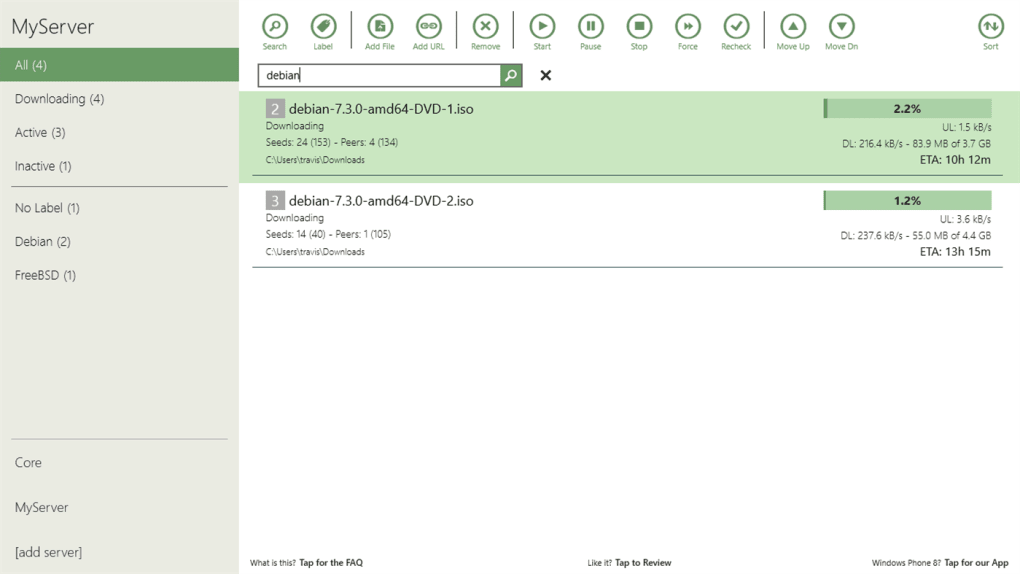
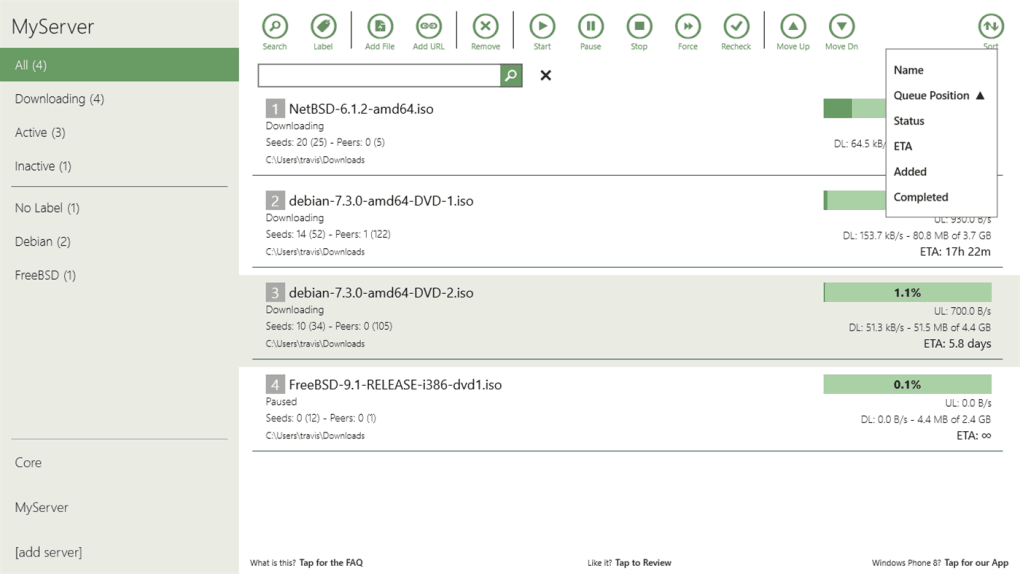
uTorrent Connect stands out in the crowded torrent client market thanks to its comprehensive feature set and cross-platform compatibility. One of the most notable features is its centralized download management. Instead of opening multiple instances of uTorrent on different devices, users can access all active torrents from a single dashboard—accessible via web browser or mobile app. This is especially useful for users who manage downloads from a home server, laptop, and smartphone simultaneously.
Another major advantage is the built-in search engine, which allows users to find and start downloading torrents directly within the app without navigating to third-party websites. This not only saves time but also reduces the risk of encountering malicious links or fake download pages. The search function indexes popular torrent sites and displays results with metadata like file size, seeders, and leechers, helping users make informed decisions.
For remote access, uTorrent Connect offers secure remote control via a web interface. Simply log in from any device with an internet connection, and you can pause, resume, or delete torrents instantly. This is ideal for users who start a download on their desktop and want to manage it from their phone during commute or while away from home.
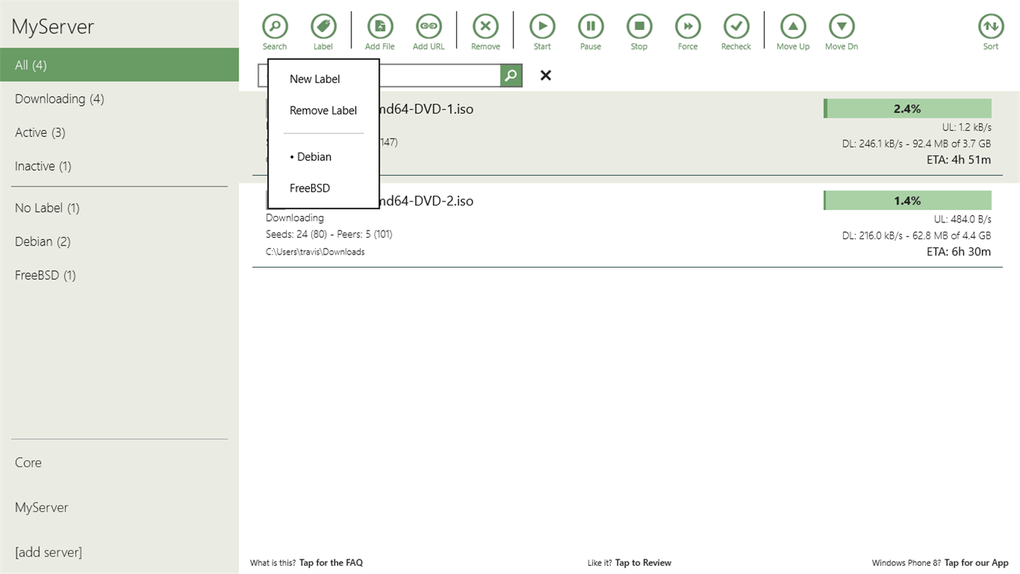
The software also includes automatic download organization, where files are sorted into folders based on categories or file types. This keeps your downloads organized and prevents clutter. Additionally, bandwidth prioritization, scheduling, and RSS feed integration are built-in, giving advanced users full control over their download speeds and timing.
How to Install and Use uTorrent Connect on Any Device
Getting started with uTorrent Connect is straightforward and requires minimal technical knowledge. Begin by downloading the software from the official website. Choose the version that matches your operating system—Windows, Mac, Android, or iOS. The installation process is quick, typically taking less than a minute, and includes a guided setup wizard that walks you through initial configuration.
Once installed, launch the app and create a free account. This account is essential for enabling remote access and syncing your download list across devices. After logging in, you’ll be directed to the main dashboard, where all your active, completed, and queued torrents are displayed in real time. From here, you can easily manage downloads by clicking “Play,” “Pause,” or “Delete.”
To access uTorrent Connect remotely, open a web browser on any device and go to connect.utorrent.com. Log in with your credentials, and you’ll see your entire download library. You can also install the mobile app from the Google Play Store or Apple App Store for full control on the go. The mobile interface is optimized for touch, with large buttons and clear status indicators.
For advanced users, the app supports port forwarding and UPnP for better connection speeds. You can also set download limits, prioritize specific files within a torrent, and schedule downloads during off-peak hours to save bandwidth. These settings are found under the “Settings” menu and are well-organized for easy navigation.
Compatibility and System Requirements
uTorrent Connect is designed to be highly accessible, supporting a wide range of operating systems and devices. It is compatible with Windows 7 and later, including Windows 10 and Windows 11, making it suitable for both older and modern desktops. Mac users can install it on macOS 10.12 (Sierra) and above, ensuring broad support across Apple devices.
For mobile users, the app is available on Android 5.0 and above as well as iOS 12 and later. The mobile apps are lightweight, consume minimal battery, and provide full functionality, including remote control, download monitoring, and search. This multi-platform availability means you can manage your torrents from your desktop at home, your laptop at work, or your smartphone while on the move.
Additionally, uTorrent Connect integrates with popular cloud storage services like Google Drive and Dropbox, allowing you to automatically back up or move completed downloads. This is a game-changer for users who want to keep their files safe and accessible from anywhere.
System requirements are modest: a minimum of 512 MB RAM, 100 MB free disk space, and a stable internet connection. The software runs efficiently even on low-end machines, thanks to its lightweight architecture and optimized code. No heavy background processes are required, ensuring minimal impact on system performance.
Pros and Cons of uTorrent Connect
- Pros:
- Free to download and use with no hidden costs
- Full cross-platform support (Windows, Mac, Android, iOS)
- Remote access via web browser or mobile app
- Intuitive, clean interface ideal for beginners
- Integrated search engine for quick torrent discovery
- Automatic download organization and categorization
- Secure login and encrypted remote connections
- Low system resource usage and fast performance
- Cons:
- Some advanced features require a paid subscription (uTorrent Plus)
- Remote access requires an active internet connection
- Initial setup may be confusing for absolute beginners
- Occasional delays in syncing across devices
- Limited customization options compared to desktop-only clients
Frequently Asked Questions (FAQ)
Is uTorrent Connect free to use?
Yes, uTorrent Connect is completely free to download and use. It includes core features like torrent management, remote access, and a built-in search engine. However, some advanced features—such as priority seeding, enhanced security, and ad-free browsing—are available through the paid uTorrent Plus subscription.
Can I use uTorrent Connect on multiple devices?
Absolutely. uTorrent Connect is designed for multi-device use. You can install it on your Windows PC, Mac, Android phone, and iOS device, and all your downloads will sync in real time through your account. This allows seamless control from any location.
Is uTorrent Connect secure?
Yes, uTorrent Connect uses secure login protocols and encrypted connections for remote access. Your data is protected, and the app includes built-in virus scanning (via uTorrent Plus) to help detect malicious files. Always use caution when downloading from public torrents and avoid suspicious sources.
How do I start a download using the built-in search?
Simply open uTorrent Connect, click on the “Search” tab, type your desired file name (e.g., “The Dark Knight”), and press enter. The app will display a list of relevant torrents with details like size, seeders, and download speed. Click “Add” to start the download immediately.
Does uTorrent Connect support resume and pause functionality?
Yes, you can pause, resume, or delete any torrent at any time—whether on your desktop or mobile device. The app automatically saves your progress, so you can pick up where you left off without losing data.
Final Verdict: Why You Should Download uTorrent Connect Today
uTorrent Connect is more than just a torrent client—it’s a complete download management ecosystem. With its intuitive interface, cross-platform support, and powerful remote access features, it’s one of the most efficient tools for managing BitTorrent downloads. Whether you're a casual user looking to stream media or a power user managing large file transfers, uTorrent Connect delivers speed, security, and convenience.
Its free nature, combined with robust functionality, makes it a top choice in the P2P space. While some advanced tools are locked behind a paid subscription, the free version is more than sufficient for most users. If you’re tired of juggling multiple clients or losing track of downloads, it’s time to upgrade your torrenting experience.
Download uTorrent Connect now and take full control of your downloads—anytime, anywhere. Whether you're on Windows, Mac, Android, or iOS, this secure, fast, and user-friendly software is ready to simplify your digital life.







